Pinecast WordPress Sync v1.2.0
Version 1.2.0 makes some changes to reduce the complexity of the plugin and make some minor UI improvements. However, the real star of the show is our improvements to better support folks who use the plugin with many podcasts (e.g., a dozen or more).
By default, the plugin has historically updated every episode if there were changes on Pinecast. However, this requires fetching episode details for every episode and comparing each field that could have changed. For podcasts with large numbers of episodes (or sites with a large number of podcasts), this introduces a number of bottlenecks:
- WordPress is often installed on multi-tenant hosting, which is CPU-constrained, slowing the sync process down
- Each post requires a database query (or every post needs to be fetched from the database), which makes the database a bottleneck for performance
- Some versions of PHP are not well-optimized for doing this work, and can run slowly due to the way memory and computation works under the hood
These problems can lead to timeouts—even when syncing a single show.
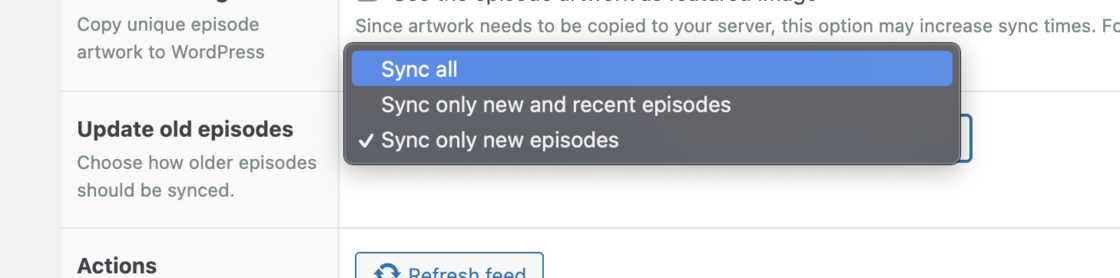
Every podcast now has a setting to allow only new episode or recent episodes (episodes published in the last thirty days) to be synced. Choosing one of these options will skip updates to old or existing episodes. For folks with dozens of podcasts or thousands of episodes, it’s unlikely that these old posts will have substantive changes. Choosing one of the new options will dramatically improve the sync performance of the plugin.
The new version of the plugin is available through WordPress right now. If you have the plugin installed, simply follow your normal plugin update procedure. If you don’t have the plugin installed, you can search for “Pinecast” on the plugins tab on your WordPress admin dashboard.