Site Builder 2.0
We’ve redesigned the Pinecast site builder to be cleaner and easier to understand.
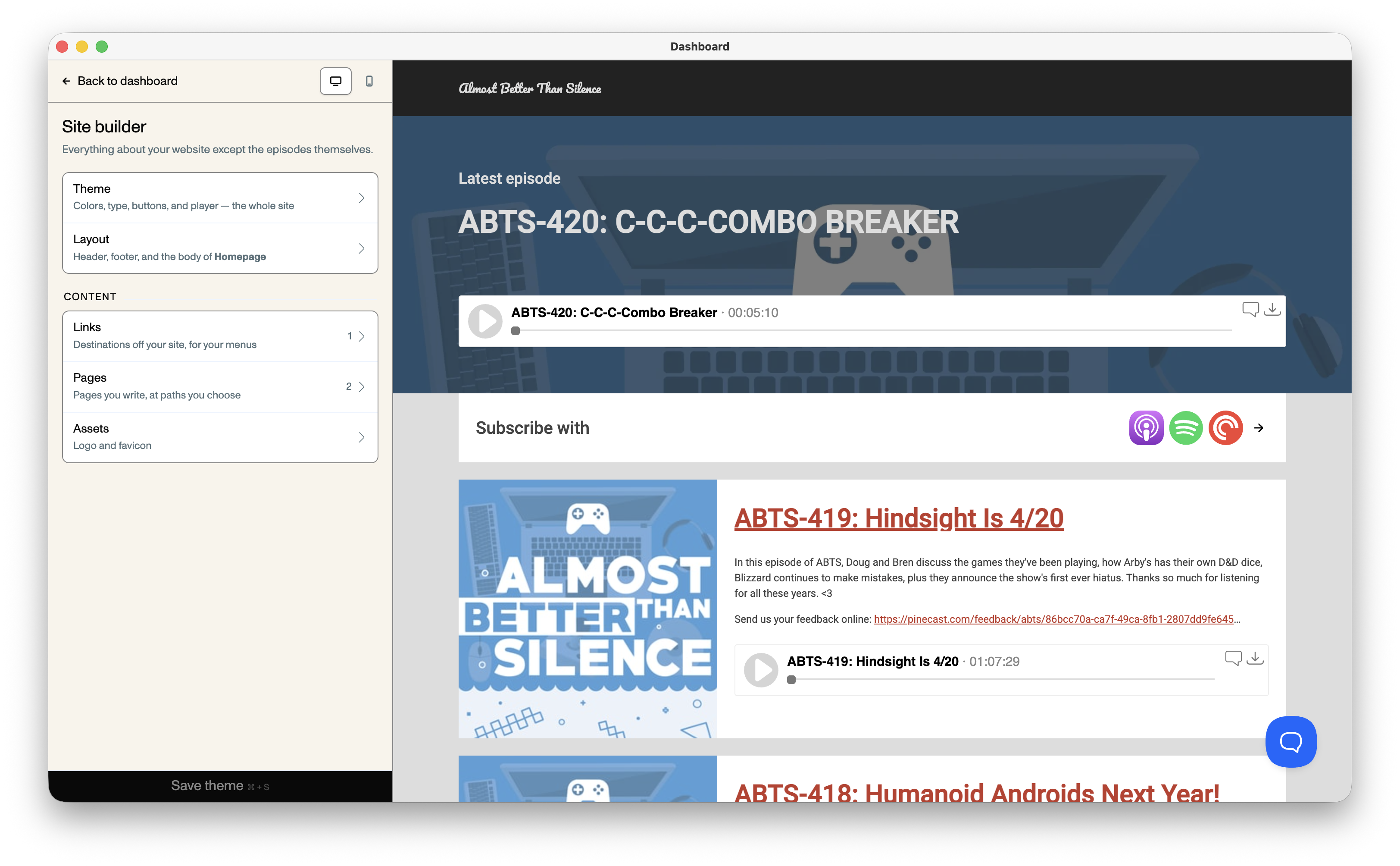
The site builder is one of the most feature-rich parts of Pinecast, but its sheer size and complexity has made it hard for many folks to fully take advantage of. This month, we took a pass at cleaning up the design and making the UI more intuitive.
First, there’s no longer multiple layers of tabs and dropdowns: there’s one clean sidebar. Click into a section and drill down to find what you need. The back button at the top returns you to the preview section instead of immediately leaving.
Next, the Layout tab:
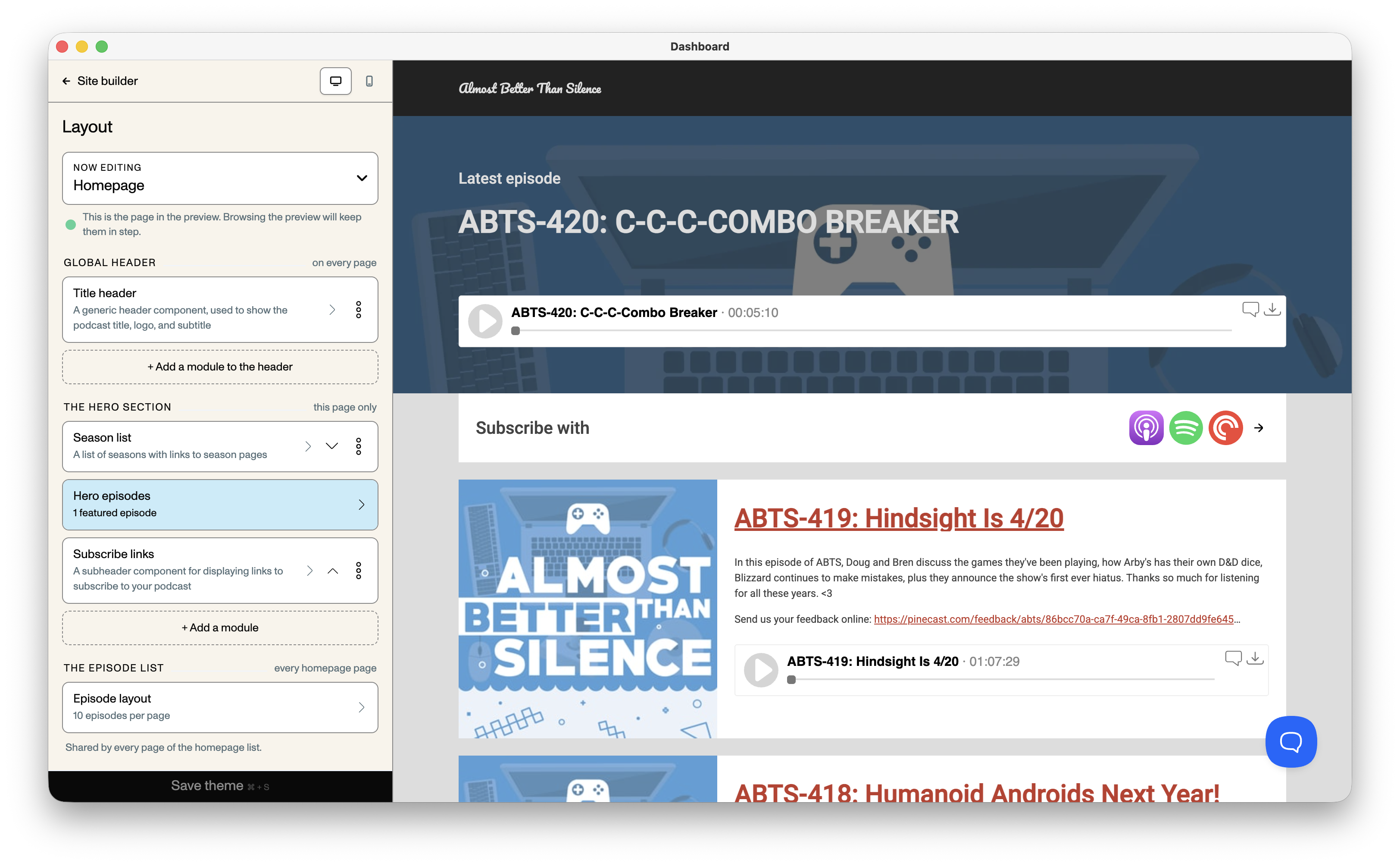
Before, the Layout tab grouped related parts of the site design together: header and footer, homepage and episode lists, episode pages, etc. This makes sense logically, but making simple changes to what you can see in the preview area required you to navigate between tabs and sub-tabs.
Click between pages in the preview, and the Layout tab will follow you, updating to show what’s on that page.
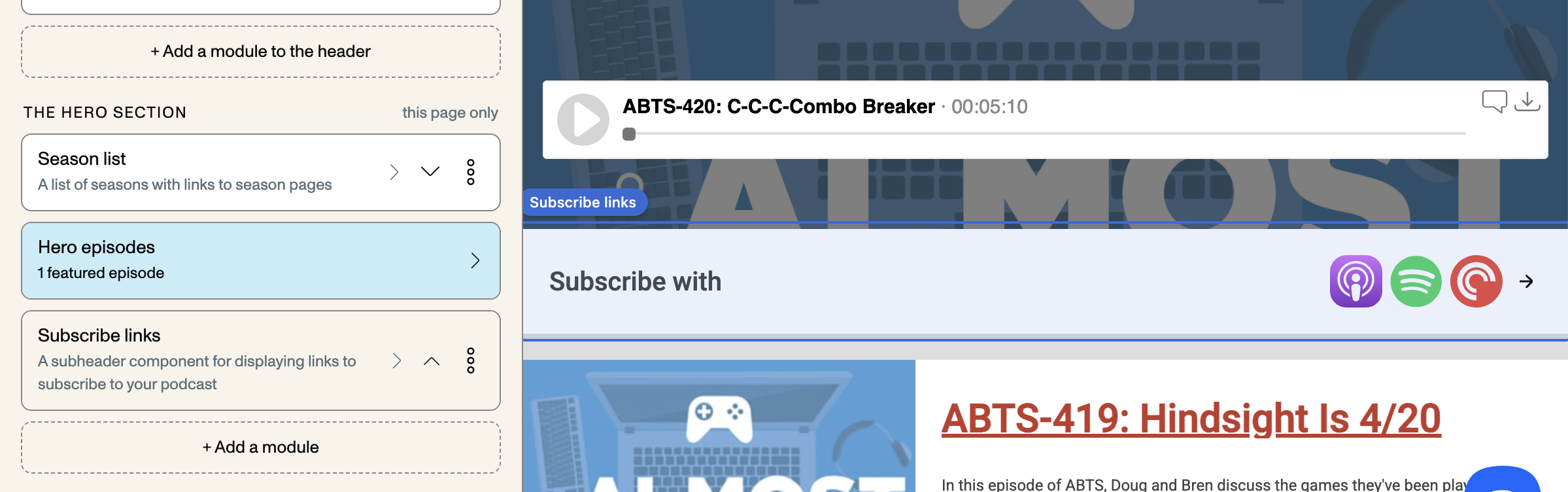
Now, the Layout tab shows all of the parts of the page you can currently see, top to bottom. Not sure what you’re looking at? Hover over a module in the sidebar and it’ll highlight the corresponding area in the preview.
Click on a module in the sidebar, and we’ll show you all of its options.
Run into trouble?
Section titled “Run into trouble?”This is a big change, and the site builder has hundreds of features with millions of combinations of layouts and theme options. We’ve done our best to avoid any regressions, but accidents happen. If you run into any trouble, be sure to reach out so we can get things patched up for you right away.