The Tip Jar got an upgrade
It’s not often that we get to announce such a big release, so this is exciting for me to type up!
We’ve completely overhauled the tip jar. First, you’ll notice that the page your listeners see is visibly nicer, with a cleaner look and feel.
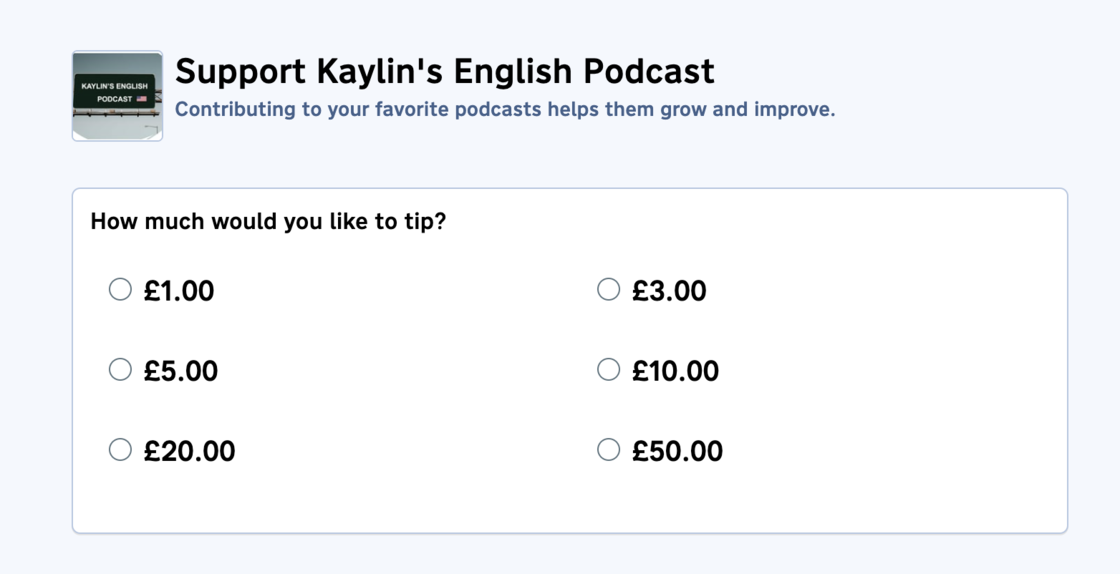
The new UI is smarter about messaging, with better wording and more helpful UI elements to optimize conversion. When we launched the tip jar, we intended folks to use it to accept mostly one-off donations. As podcasting has evolved, we’ve seen folks use the tip jar as a source of income: calling tips “donations” didn’t feel right, so we’ve stricken the term from our UIs.
Keen observers will note that the tip amounts are now in local currencies. Tips are now made in the currency you get paid out in: if you receive your funds in British pounds, your users will be charged in pounds. This works for all 19 (!) of the currencies that we support on Pinecast.
For shows that set a minimum tip amount to receive private content, we’ll show a flashier UI for those amounts (along with specific instructions on whether changing a subscription amount will gain or lose private content access) along with notes about what the current subscription amount is.
We’ve also spent a ton of time upgrading the dashboard that subscribers get. We have dedicated detail pages for each subscribed podcast, along with receipts and better instructions for accessing private content.
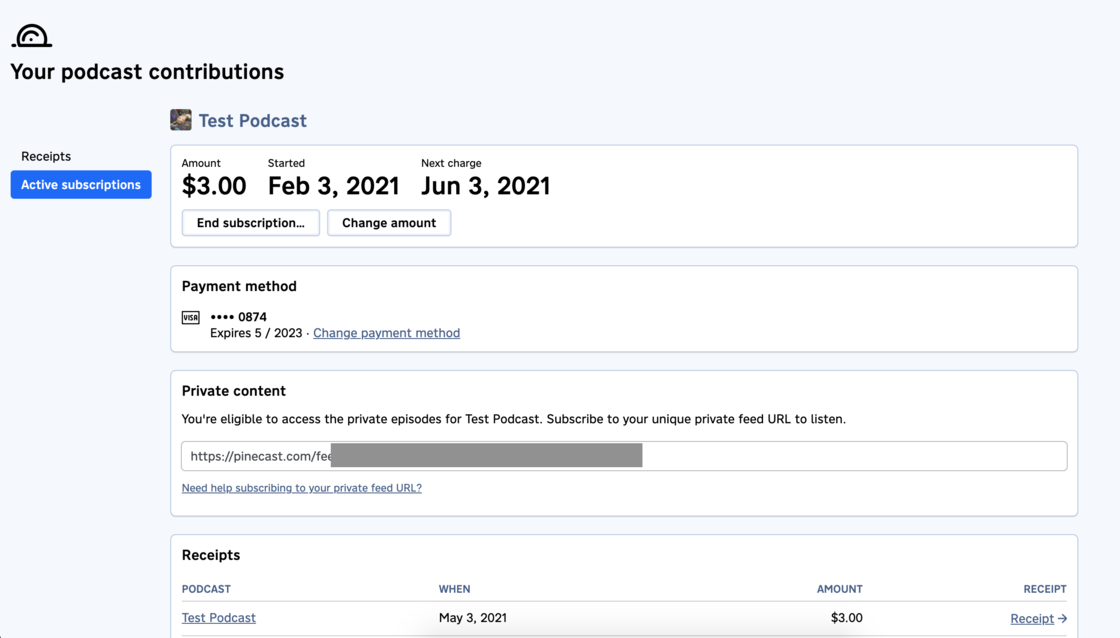
More improvements to this page are on the way!
We’ve improved our emails to subscribers, sending emails when you publish your first private episode and making sure they have links in their inbox to access the unlocked content as fast as possible.
There’s also a few new options that you can configure in the podcast dashboard.
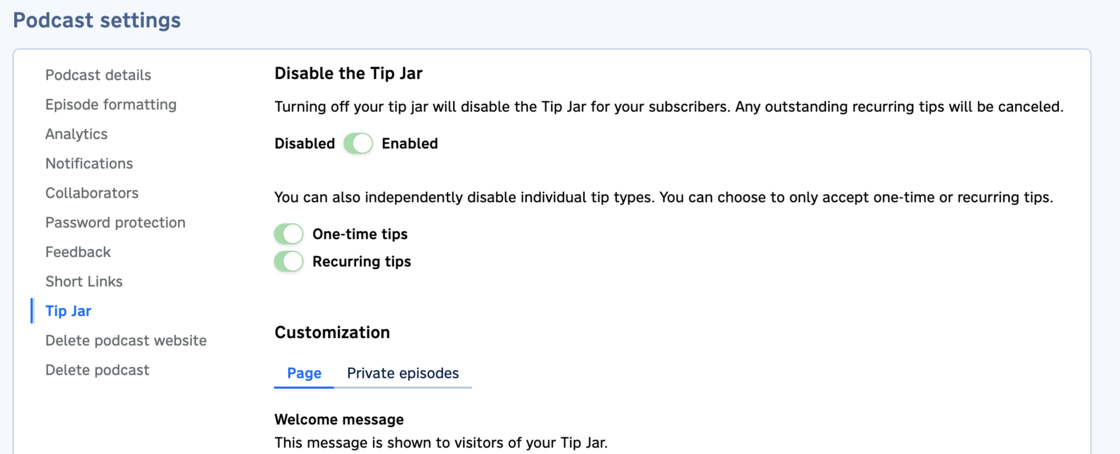
You can now individually disable one-time or recurring tips: if you only want to accept subscriptions, now you can!
Some quick notes:
- We won’t be changing existing USD subscriptions to your show’s payout currency. You’ll continue to receive payments in USD and have them converted to your payout currency until your subscribers either update their amount or cancel their subscription.
- If you’ve received tips in the past, your dashboard will show USD totals until you’ve received non-USD totals. The non-USD total will be shown, and the previous USD total amount will be shown in a tooltip.
- Everywhere that we show monetary amounts, you’ll now see those amounts with appropriate currency formatting for the local currency. This is, again, based on the currency of the transaction—historical amounts won’t be converted.