Annual billing
One of our most-requested features has been annual billing. You can now pay for one year of service up-front.
Additionally, you’ll be able to switch your existing monthly subscriptions to annual subscriptions and vise versa. You can do this by visiting My Subscription > Billing Period.
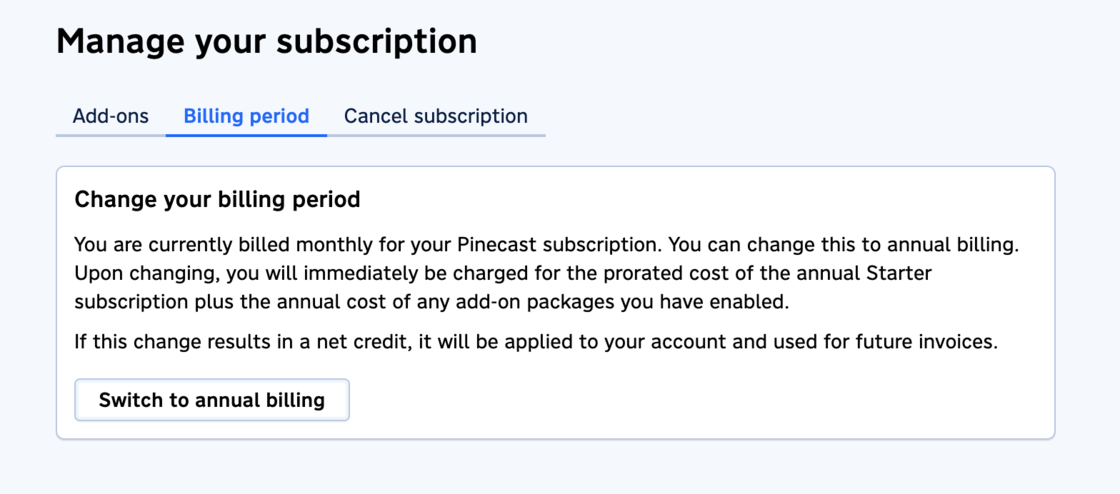
When switching to or from monthly to annual billing, you’ll be invoiced for the prorated difference, with credits being applied to your account. If you have add-ons, they’ll be billed in the same way. Adding or removing add-ons from an annual subscription also works like this.
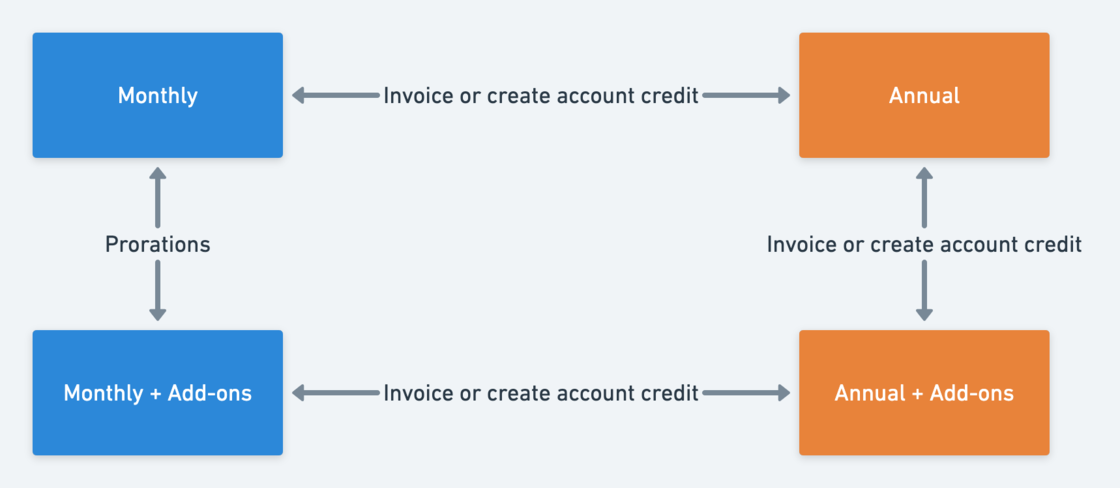
Said another way: previously we’d never charge your payment method immediately upon upgrade or downgrade. Now, we’ll only maintain that invariant when adding and removing add-ons from a monthly subscription. Otherwise you’ll be billed at the time of upgrade.
Another quick note: this affects the referral program. Monthly subscriptions will continue to maintain the two month behavior. With annual subscriptions, account credit is created at the time of upgrade.