Listener feedback got an upgrade
Listener feedback allows your listeners to leave messages for you. The messages they type are shown on your podcast dashboard. There’s also episode-specific feedback URLs which can be included in your show notes as an auto-include.
This feature has been a part of Pinecast for almost a decade. Originally part of the legacy Pro plan, it was moved to the Growth add-on. In recent years, we’ve added a feedback section to the Tip Jar, allowing your paid listeners to leave feedback for you directly.
Today, we have a few announcements:
More availability
Section titled “More availability”First, we’re making listener feedback available to everyone with a Starter subscription. If you’re a paid subscriber, you now have access to listener feedback.
Feedback over email
Section titled “Feedback over email”We previously announced @listener.email addresses to protect your privacy. Now, we’re announcing @listener.feedback email addresses: every podcast on Pinecast gets its own email for feedback.
If your show’s slug is my-show, your listeners will be able to reach out to my-show@listener.feedback with their messages. Those will be collected on your podcast dashboard.
All of the moderation features available with the web-based listener feedback tool are available as part of the email listener feedback tool.
New Growth add-on benefits
Section titled “New Growth add-on benefits”Making feedback available to Starter customers takes away one of the perks of the Growth add-on. We didn’t forget about you! We’re introducing a new Insights tab that offers an report on listener sentiment and offers suggestions on future topics.
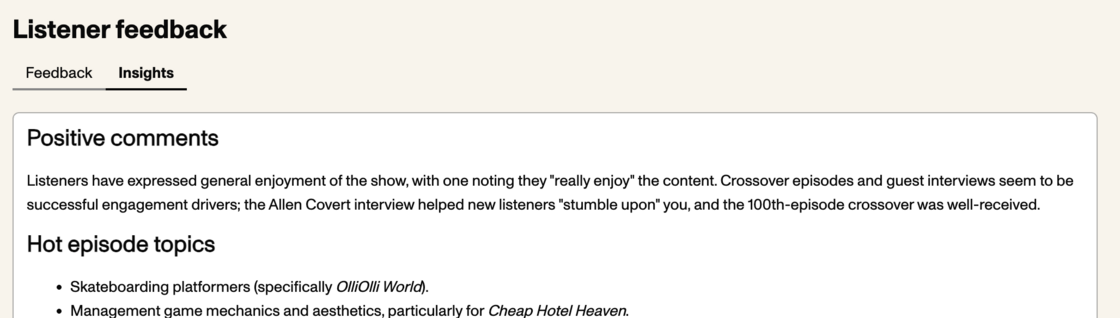
Note: this report is generated in part with generative AI.
More configurability
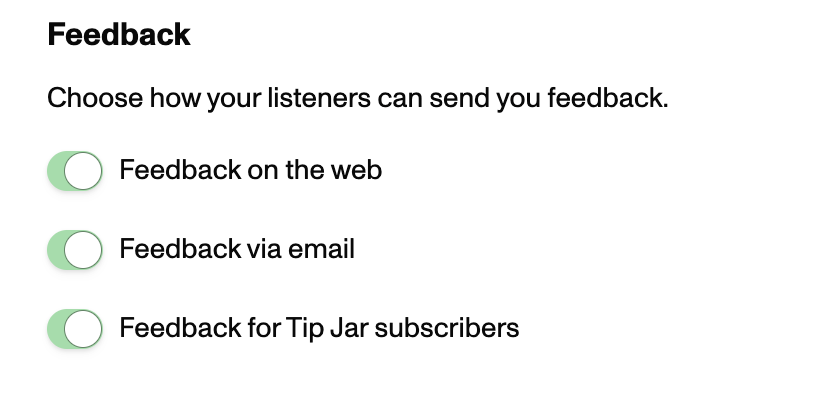
Section titled “More configurability”You can now individually enable and disable listener feedback in each place it’s available:
- On the web
- Via email
- In the Tip Jar