Self-service feed redirects
Since Pinecast was started, you’ve needed to write in to customer support to request a feed redirect. We’ve maintained this policy because a feed redirect—when done incorrectly—can lead to your show coming to a catastrophic end. And in fact, we’ve prevented numerous podcasts from ending up with redirect loops, redirecting to pages which are not RSS feeds, and more.
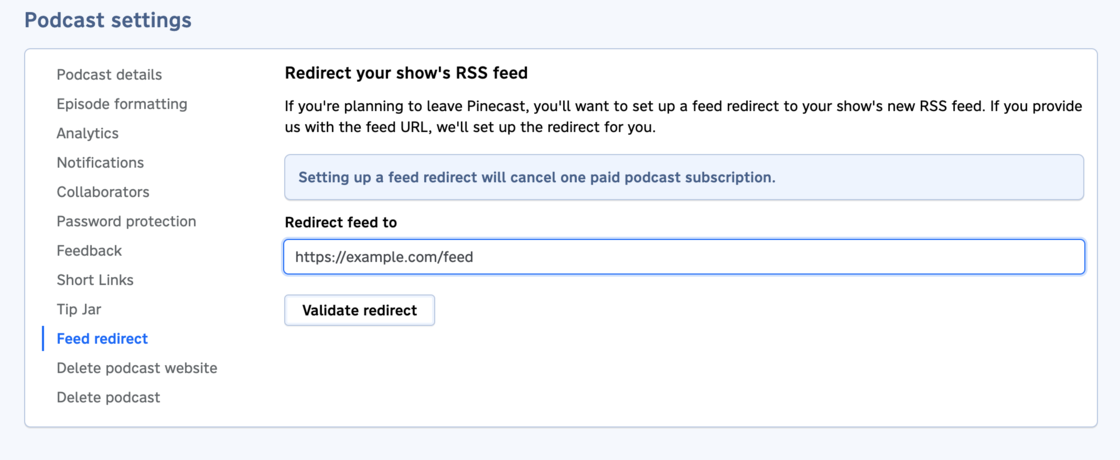
We’ve taken all of these learnings and experience and encoded them into an algorithm. You can now set up your own feed redirects on the Settings > Feed Redirect tab on your podcast dashboard. We’ll first validate your redirect to make sure it looks okay, then allow you to confirm.
The types of checks that we perform are pretty exhaustive:
- We check that we can connect and the server returns a response
- We validate that the new URL returns RSS
- Missing episodes in the new feed are flagged
- If episodes don’t have appropriate GUIDs, we’ll let you know. This prevents your feed from appearing as “unlistened” for your audience.
- Checks for redirect loops and redirects pointing back at Pinecast avoid your listeners getting lost in the ether
We’ll even give you technical details if we encounter a problem, so you can find and fix the issue on your new host. We hope that this makes things easier for you while moving to a new host.